Product news
Discover the 5 newest features in LeadBot
With the latest update, LeadBot is more user-friendly than ever. Save time, embed content and get faster insight into results.

Talitha Harthoorn
Marketing · October 17, 2025 · 3 min
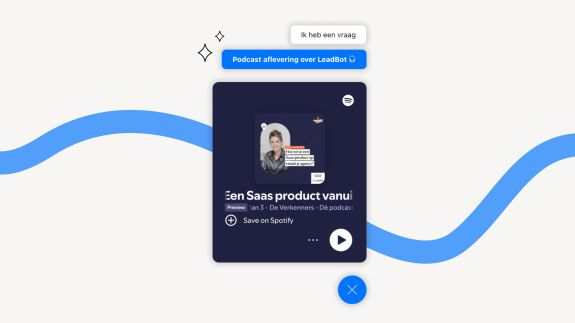
🎥 Add content with the HTML embed: Calendly, Google Calendar, YouTube, Vimeo or Spotify.
We're kicking off with a feature frequently requested by our partners! From now on, you can easily integrate external content into LeadBot via an HTML embed. Enrich your LeadBot with content from, for example, Calendly, Google Calendar, YouTube, Vimeo or Spotify. That way you not only make your LeadBot more interactive, but you also give visitors the option to view or listen to content directly, without leaving the website. This lets you offer different kinds of content in a low-threshold way, tailored to your visitor's needs — whether that's an explainer video, appointment scheduler or inspiring podcast. The possibilities are endless!
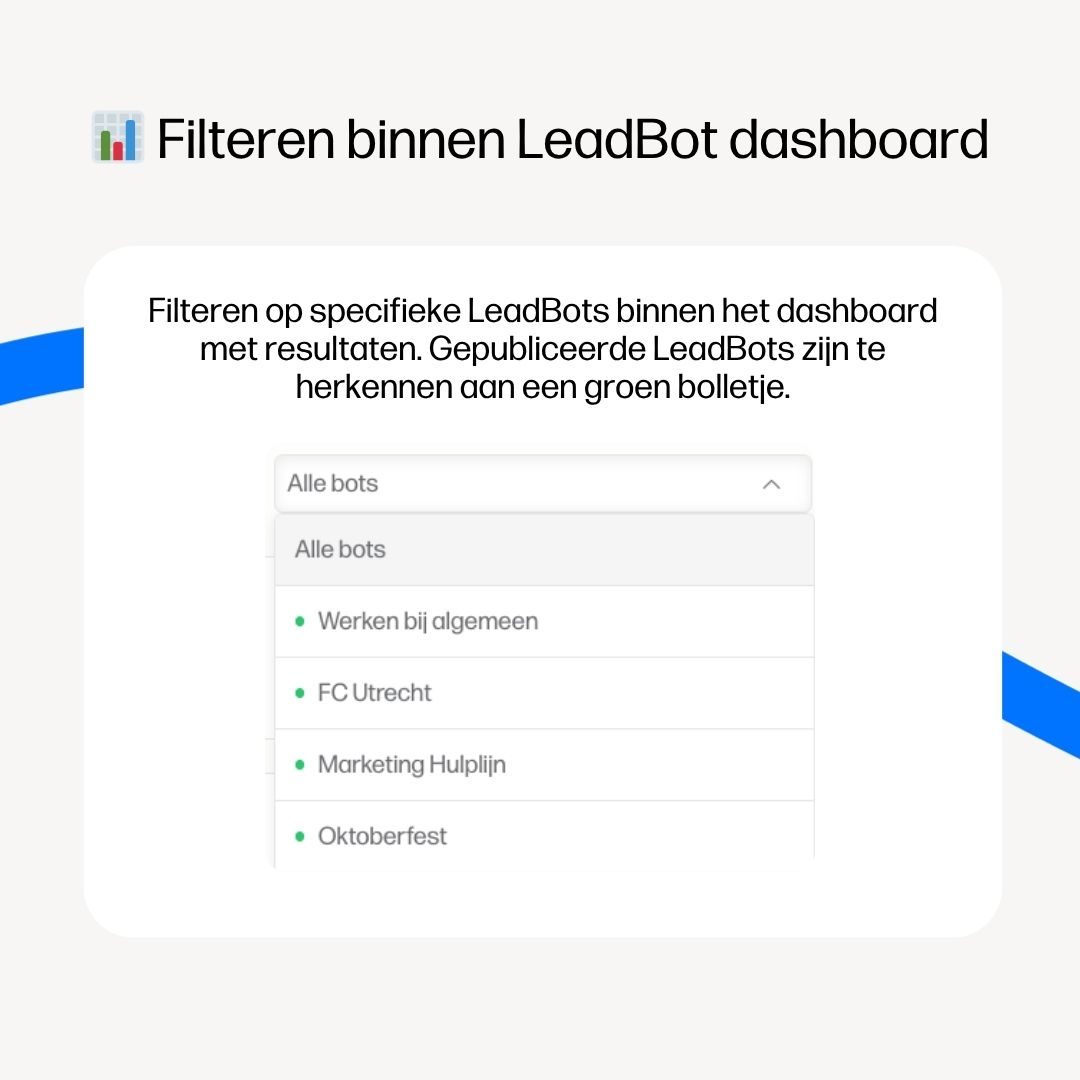
📊 Filtering within the LeadBot dashboard
In addition, the LeadBot dashboard has been extended with a handy filter function. In a few clicks you can now view the results of a specific LeadBot that's live on your website. That gives you quick insight into the performance of a single bot, without endlessly scrolling through all the data. You also instantly see which LeadBots are active and which aren't. Published LeadBots are recognisable by the green dot.
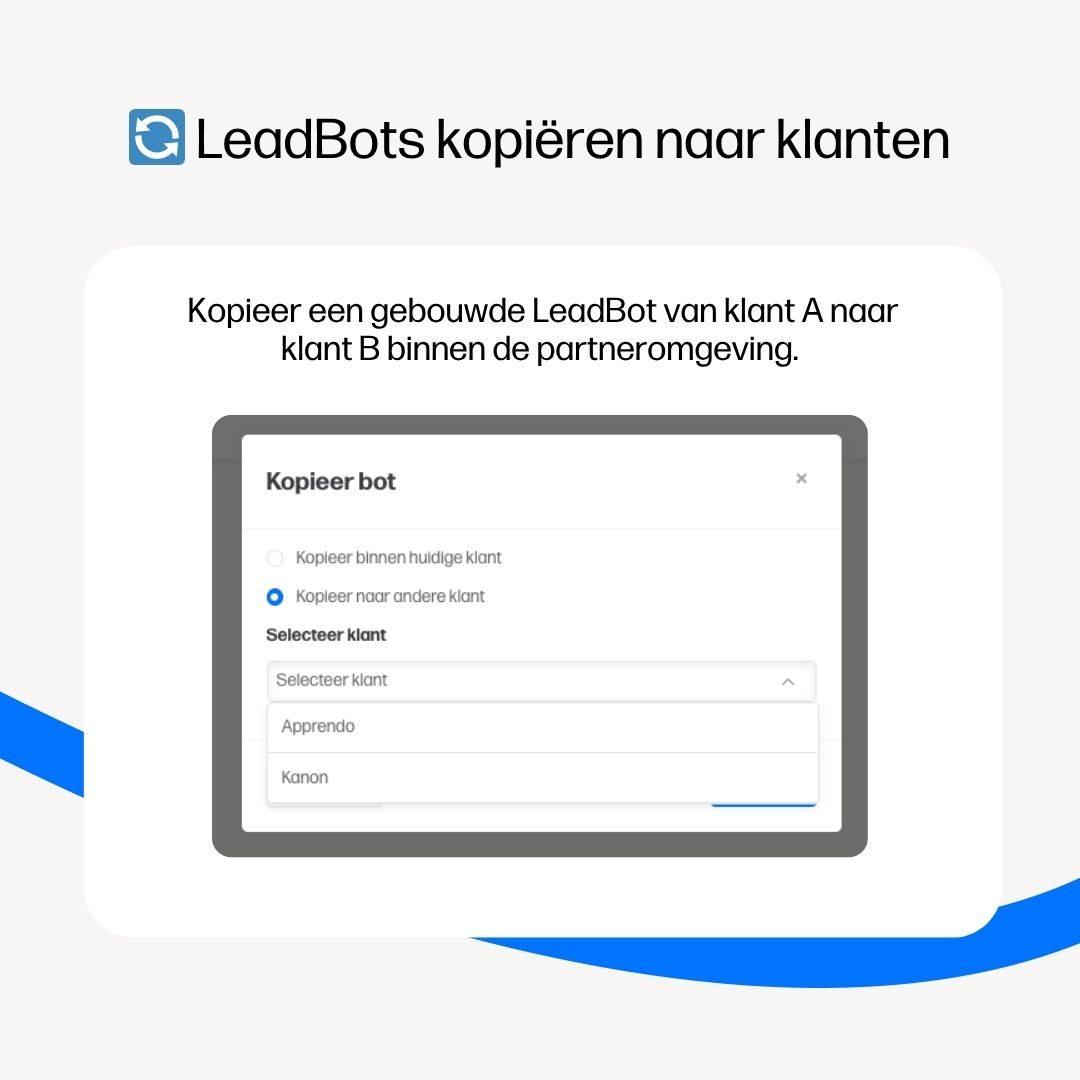
🔄 Copying LeadBots to clients
From now on, you can easily copy LeadBots to another client within your partner environment. That saves time, because you don't have to rebuild a LeadBot from scratch every time. For example, you can create your own template and deploy it directly for new clients. Simply click the copy icon and choose whether to copy the bot within the same client or to another client.
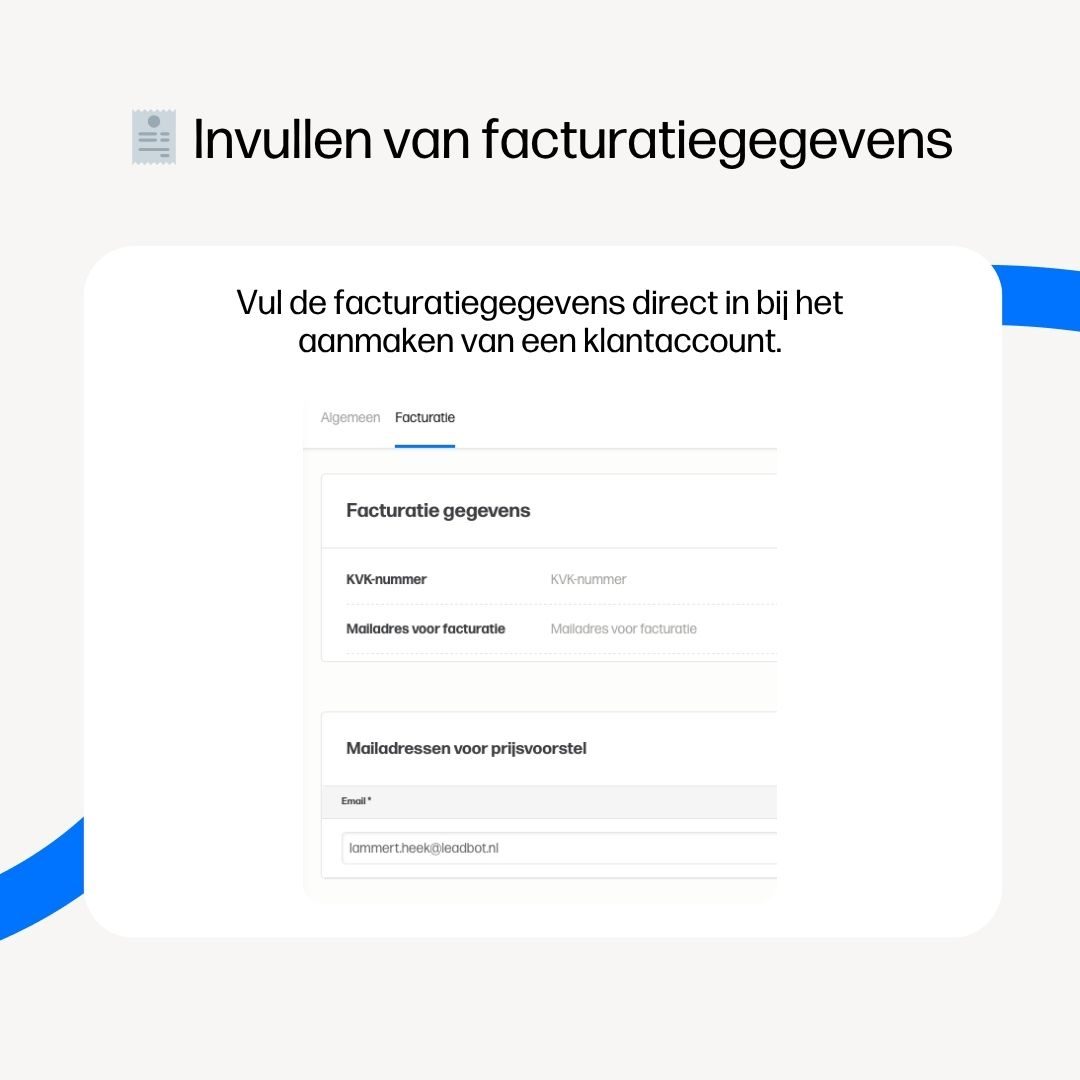
🧾 Entering billing details
With the new billing tab you can now easily add your clients' billing details in the LeadBot environment. When creating a client account, fill in details like the Chamber of Commerce number and billing email address right away, so you don't have to arrange this once the subscription is agreed. You can also now provide multiple email addresses to receive the price proposal. For example, you can add both your own email address and the client's. That way you both receive the price proposal at the same time!
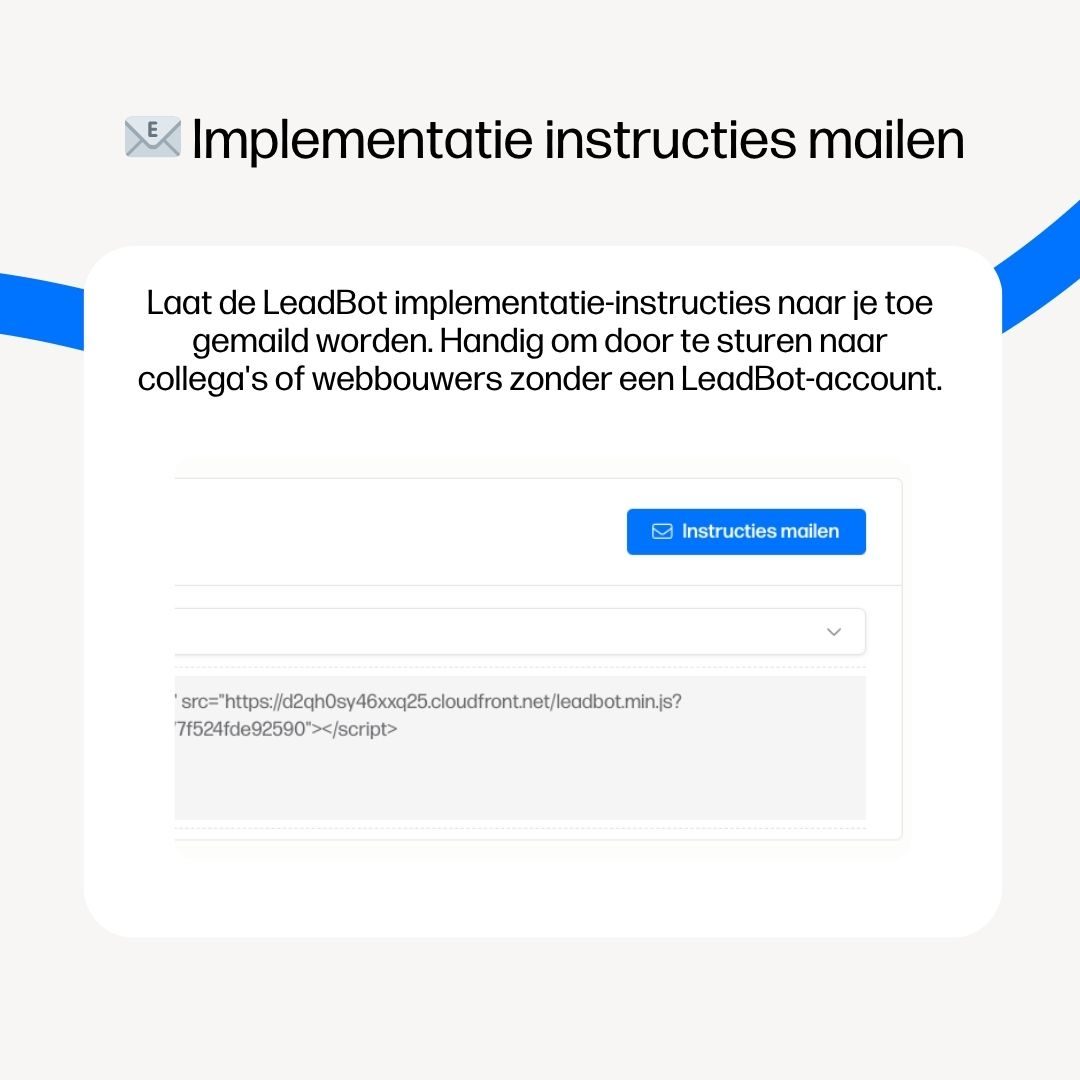
📧 Emailing implementation instructions
To make putting a LeadBot live on your website even easier, we've added a handy feature: the 'Email instructions' button. With one click you receive an email with the implementation instructions and the LeadBot's unique script. That way you easily share the information with colleagues or web developers without access to the LeadBot environment. Manually compiling instructions is a thing of the past.
Conclusion
With these new features, we're making LeadBot a little smarter and more user-friendly again. Whether you want to embed content, save time with copying or get faster insight into results. That's how we make your work a lot easier and give your visitors a better experience.
Want to know more or have questions? Contact your Partner Success Manager!